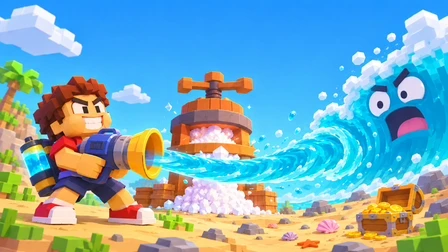
Two versions, two different ways to play
A shared title does not make these the same release. If your video shows an island merchant, collectible treasure and stronger straws, start with Mana. If it shows a belly meter, a PRESS and a blue SHOP pad, choose the Pinidi Studio version below.
Mana: treasure and co-op
Mana lists a desktop browser game for one to four players, using keyboard and mouse. Its official player cannot be embedded on OceanSip, so the Mana button opens a new tab. You do not need to download files from this website.
Open Mana’s official player ↗Pinidi Studio: salt and upgrades
Playgama distributes a separate solo game with a salt press and capacity upgrades. Its listing includes PC, Android and iOS. The player on this page uses Playgama’s official export and loads only after you press Play; platform prompts or ads may appear.
Starting in the browser
- Pick the version above. The screenshot, device notes and launch button change with your choice.
- For Playgama, press Play here and follow the platform’s own play prompts. Click inside the loaded game to give it keyboard focus. On a phone, try landscape orientation.
- For Mana, use a computer and follow the official game menu. This guide does not host Mana’s runtime or copy its game files.
For the separate controls and progression loops, use the version-specific gameplay guide. Looking for an installer instead? Read the download and APK check before choosing a file.
If you searched for “Drink the Ocean unblocked”
“Unblocked” is a search description, not a guarantee about your school, workplace or network. OceanSip uses the normal platform connections. If your network blocks Playgama or Mana, this page may be blocked too. We do not provide proxy mirrors, modified clients or instructions to bypass network rules.
When the site loads but the game does not, first separate a platform problem from a device problem. Check whether the original platform opens on the same permitted connection. If it also fails there, changing the OceanSip player size is unlikely to fix the cause.
Loading checklist
- Still loading: give the platform time to fetch its game files. A loaded frame is not proof that the game has finished loading.
- Player too small: use Expand player. This enlarges the player within the page; it is not a promise of native browser fullscreen.
- Controls do not respond: click inside the game, then use the controls for the version you selected.
- Retry: the Retry button removes the current iframe and reloads it. This can interrupt the current round, so use it deliberately.
- Phone problems: try the original Playgama page and consult its device support. Mana’s listing specifies desktop rather than touch controls.
Questions before you start
Can I play Drink the Ocean free on this page?
The separate Pinidi Studio game loads here through Playgama, which lists it as free. Platform ads may appear. Mana opens on its own site. OceanSip does not charge a subscription.
Is this an official game website?
No. OceanSip is an independent guide and entry point. Game content, accounts and platform services remain with the respective providers.
Is the unblocked version different?
We do not offer a modified unblocked build. The embedded player uses Playgama’s normal official export; network access is not guaranteed.
Does pressing Retry erase my save?
Retry recreates the player and can interrupt the active round. Save behaviour belongs to the game and platform. OceanSip does not manage or guarantee your saved progress.